This page contains affiliate links. If you purchase through them we may earn a small commission at no extra cost to you. Learn more
Tesla Powerwall 3 UK Review: Specs, Costs, and How It Compares
What changed from Powerwall 2 to Powerwall 3?
The Powerwall 3, released in the UK in 2024, is a significant redesign rather than a minor update. The headline change is the integrated solar inverter: the Powerwall 3 is the inverter. You no longer need a separate string or hybrid inverter alongside it — the PW3 handles both solar input and battery storage in a single unit.
Other key changes:
- Continuous output: 11.5kW (up from 5kW on the Powerwall 2). This is a major leap that changes what you can run from battery during an outage.
- Battery chemistry: Switched from NMC (nickel manganese cobalt) to LFP (lithium iron phosphate). LFP is safer, longer-lasting, and more tolerant of daily full cycling.
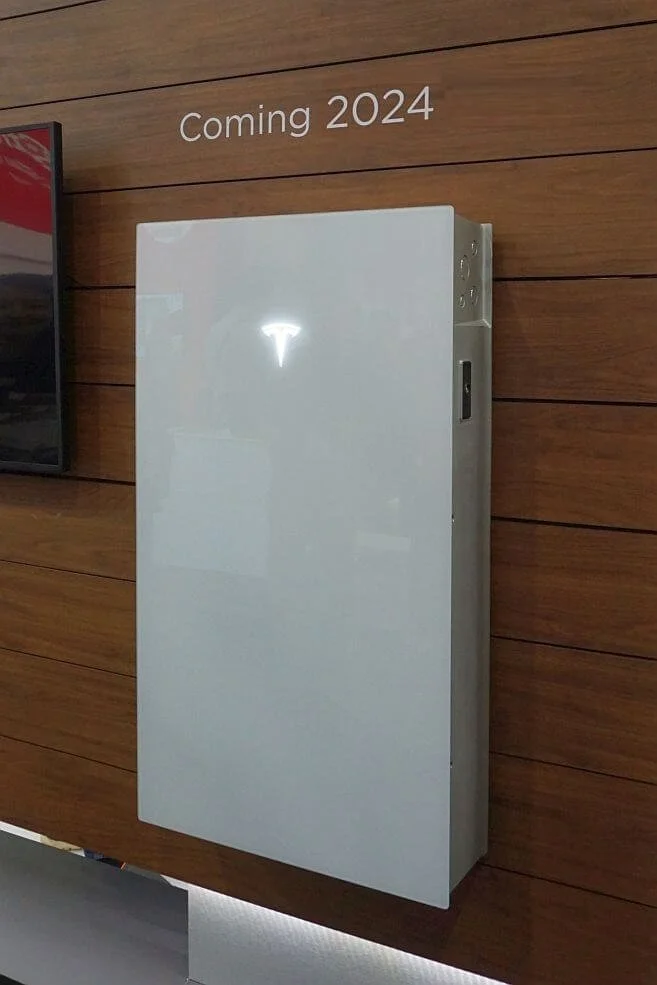
- Form factor: New vertical slab design, 130kg, wall or floor mountable.
- Capacity: Unchanged at 13.5kWh usable — one area where Tesla hasn't improved on the previous generation.
- Gateway: The Powerwall 3 includes the Tesla Gateway 3, which handles home energy management, backup switching, and metering.
The shift to LFP chemistry is underrated. NMC degraded more rapidly under frequent full cycling — LFP handles it better. If you previously read that Powerwalls shouldn't be cycled to 0% and back daily, that was a Powerwall 2 limitation. The PW3 is more resilient.
Key specifications
The unlimited cycle warranty is worth flagging — Tesla does not put a cycle count limit on the Powerwall 3's 10-year warranty. GivEnergy and most competitors cap at 6,000 cycles over 10 years. For households doing two cycles per day (arbitrage plus solar), this matters.
11.5kW
continuous output — runs most UK homes including heat pumps during a grid outage
See all battery optionsThe integrated inverter — the biggest change
This is the aspect most worth understanding before you buy. The Powerwall 3 IS your solar inverter. When you install a PW3, you are not also buying a separate GivEnergy, Solis, or SunSynk hybrid inverter. The PW3 replaces all of that.
What this means in practice:
- Your solar panels connect directly to the Powerwall 3 (up to 11.5kW of PV input across multiple MPPT channels — check with your installer for exact channel configuration for your array)
- The unit manages charging, discharging, solar export, and backup switching
- Installation is simpler — fewer boxes on the wall, fewer connection points
- Everything is in the Tesla ecosystem — there is no mixing and matching
The trade-off: If you already have a working solar system with a third-party inverter, the PW3 cannot simply bolt on as a battery. It needs to be the inverter. Retrofitting a Powerwall 3 to an existing non-Tesla system means replacing your inverter or using an AC-coupled configuration that limits the solar input functionality. If you are looking to add storage to an existing system, a GivEnergy or Fox ESS AC-coupled battery may be a more practical option.
Retrofitting is more complex than it appears
Adding a Powerwall 3 to an existing solar installation is not straightforward. If your panels are already connected to a working string or hybrid inverter, the PW3 cannot simply act as a bolt-on battery at full functionality. Your installer will need to assess whether AC coupling is viable or whether the existing inverter needs replacing. Get this scoped clearly before committing.
Tesla app and monitoring
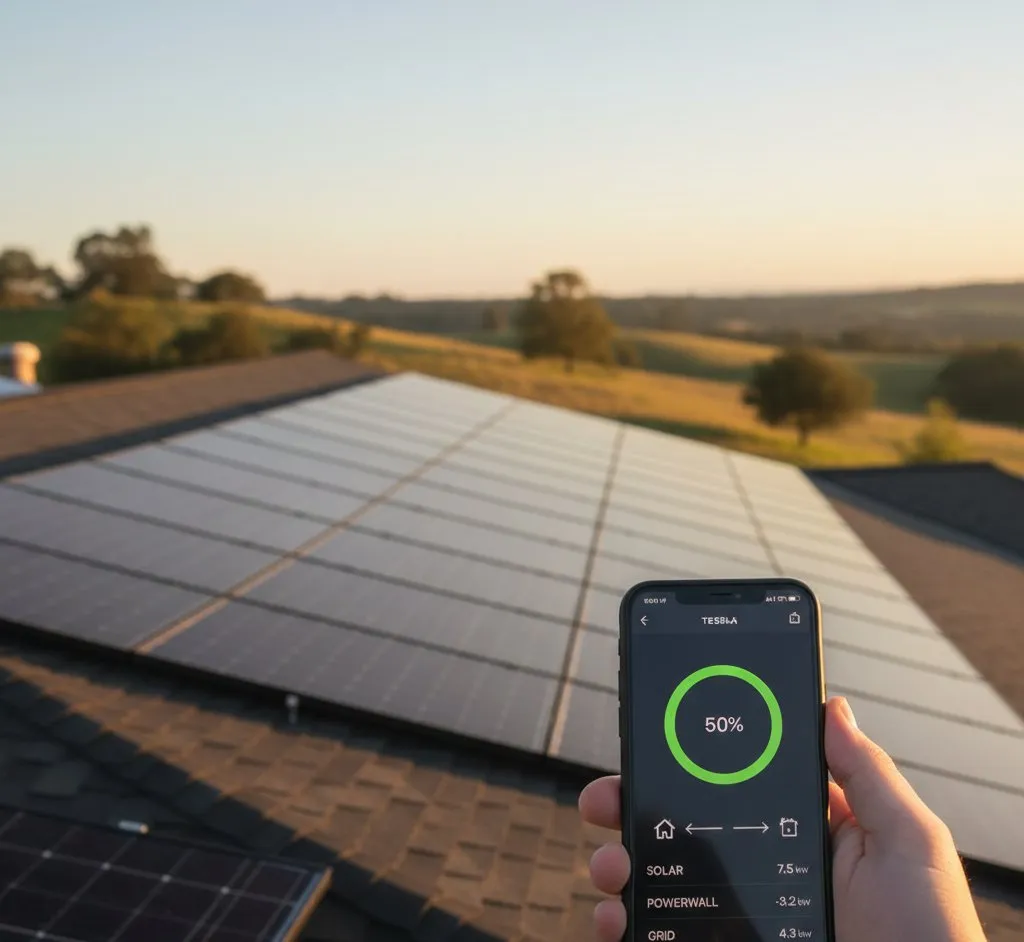
The Tesla app is one of the most polished energy monitoring experiences available for residential storage. It genuinely is excellent.
What you get:
- Real-time power flow diagram — a clean animated view of what's generating, what's consuming, whether you're importing or exporting, and the battery state of charge
- Historical energy data — daily, weekly, and monthly views of all energy flows
- Self-consumption mode — the system charges from solar first, then avoids grid import by default
- Time-Based Control — schedule charging and discharging around cheap and expensive tariff windows
- Storm Watch — the system monitors weather forecasts and pre-charges the battery ahead of predicted storms, maximising backup capacity before an outage. This is genuinely useful in the UK.
- Backup reserve — set a minimum charge level (e.g., 20%) that the system never discharges below, keeping reserve capacity for outages
The interface is clean, intuitive, and works well for non-technical users. If you want a system that family members can understand without a manual, Tesla has this better than any competitor.
The limitation: The Tesla app ecosystem is closed. There is no official local API, no Home Assistant integration, and no compatibility with tools like Predbat — the leading UK solar battery optimisation tool used by GivEnergy and SunSynk owners. If you are a data-focused homeowner who wants granular control and automation, Tesla's closed architecture is a real constraint.
Tesla Energy Plan
The Tesla Energy Plan is an Octopus Energy-powered electricity tariff available exclusively to UK Powerwall owners. It is worth understanding as a genuine differentiator.
The plan combines import and export optimisation: the Powerwall charges from the grid at off-peak rates, self-consumes solar, and exports excess — all managed automatically. Octopus Energy handles the tariff; Tesla handles the battery scheduling.
Rates under the Tesla Energy Plan vary by region. The plan is broadly comparable to Octopus Flux in structure, with cheap overnight import windows and higher export rates during peak demand. For Powerwall owners who do not want to manually configure tariff schedules, it offers a largely hands-off way to optimise the system financially.
Tesla Energy Plan requires a smart meter
You'll need a working smart meter (SMETS2) to sign up for the Tesla Energy Plan. If your property does not already have one, request a free installation from your energy supplier before or shortly after your Powerwall install.
Backup power
The Powerwall 3's backup capability is its strongest selling point for UK homeowners concerned about grid reliability.
With 11.5kW of continuous output, the PW3 can run virtually any UK home during an outage — including air source heat pumps, electric showers, and EV charging at moderate speeds. The Powerwall 2 at 5kW continuous could not run a heat pump and the rest of the home simultaneously. The PW3 can.
The Gateway 3 handles automatic switching. When the grid fails, the Powerwall detects the outage and switches to island mode within milliseconds — fast enough that most appliances do not notice. No manual intervention is required.
With a single Powerwall 3 (13.5kWh), a typical UK household can expect:
- Low consumption (20–25 kWh/day average): 10–14 hours of backup
- With solar generating: Potentially indefinite backup during daylight hours in summer
The backup function is built in and included in the purchase price — unlike GivEnergy, where adding backup-capable switching is an additional cost and component.
Costs
The Powerwall 3 is a premium product with premium pricing.
For comparison, a GivEnergy All-in-One 9.5kWh system (which includes its own 3kW inverter) typically costs £4,500–£6,000 installed. The Powerwall 3 includes a much larger battery (13.5kWh vs 8.6kWh usable) and an 11.5kW inverter, so a like-for-like comparison is not simple. But on a pure cost-per-kWh basis, the Powerwall 3 is more expensive.
The premium reflects the brand, the integrated inverter, the backup capability, the app experience, and the warranty structure. Whether that premium is worth it depends on what matters most to you.
Installation cost varies significantly
Powerwall 3 installations must be carried out by Tesla Certified Installers. Labour and electrical costs vary considerably by region and property complexity. Get at least two quotes from certified installers before committing — the hardware price from Tesla is fixed, but the installation costs are not.
UK availability and installer network
The Powerwall 3 is available in the UK through Tesla's certified installer programme. You can find certified installers via the Tesla website, and some installers approach you directly if you configure a Powerwall on Tesla's site.
The installer network is smaller than GivEnergy's — substantially so. Where GivEnergy can be installed by almost any MCS-certified solar installer with a GivEnergy partnership, Tesla Certified Installers are fewer in number and concentrated in urban areas. In rural areas or smaller towns, waiting times can be 3–6 months or longer.
Limited installer choice also means less competitive pricing on labour. When there are few installers in your area, you have less negotiating room on installation costs.
Limitations worth knowing
Closed ecosystem: The Powerwall 3 does not work with third-party inverters, third-party batteries, or local control software. Everything runs through Tesla's cloud. If Tesla's servers are down or their service is discontinued, functionality is reduced.
No modular expansion: To add capacity, you add another complete Powerwall 3 unit (another £10,000+). There is no option to add a 2.5kWh or 5kWh module. GivEnergy allows incremental expansion in 2.6kWh steps at £800–1,400 per module.
No third-party battery mixing: You cannot run a Powerwall 3 alongside a GivEnergy or Pylontech battery. It is a standalone system.
Limited installer choice: As noted, the certified installer network is smaller, which affects wait times and pricing flexibility.
No open API for automation: Tools like Predbat, GivTCP, or custom Home Assistant automations are not supported. Power users will find this frustrating.
Comparison table
Who the Powerwall 3 suits
The Powerwall 3 is worth considering if:
- You are installing solar for the first time and want everything in one unit — panels, inverter, and battery all managed through a single app
- Backup power is a priority — you want 11.5kW of output capability to run the whole home including a heat pump
- You value the app experience and hands-off simplicity over granular control
- You are interested in the Tesla Energy Plan as a straightforward way to optimise import and export
- You are comfortable paying a premium for an integrated, polished product
- You want the unlimited-cycle warranty structure
Who should look elsewhere
The Powerwall 3 is probably not the right fit if:
- Budget is a priority. The cost difference versus GivEnergy is substantial. That money could buy more solar panels or a second battery.
- You already have a working solar system. Adding a PW3 to an existing non-Tesla inverter setup is complicated. An AC-coupled battery from GivEnergy or Fox ESS is easier and cheaper.
- You want installer flexibility. If you want to get three competing quotes from local installers, the limited certified network constrains your options.
- You want modular expansion. Adding capacity incrementally is far cheaper with GivEnergy or Pylontech-based systems.
- You want smart automation. Home Assistant, Predbat, and open API tools do not work with the Powerwall 3. GivEnergy is the clear choice for tech-focused homeowners.
- You want to combine brands. The closed ecosystem means no mixing with other inverters or battery brands.
Get quotes from both ecosystems
Before committing to a Powerwall 3, it is worth getting a quote for a GivEnergy or Fox ESS system for comparison. The specs differ (capacity, inverter output), but understanding the price gap will help you decide whether the Tesla premium aligns with what you actually value.
The honest summary
The Tesla Powerwall 3 is a genuinely impressive product. The integrated inverter simplifies installation, the 11.5kW output is best-in-class for residential backup, the app is excellent, and the unlimited-cycle warranty is strong. If you want an all-in-one system from a brand your friends have heard of, with a backup capability that can run a heat pump during an outage, it is a serious option.
But it is expensive, inflexible, and closed. You give up installer choice, modular expansion, automation tools, and open API access in exchange for the Tesla brand and app experience. For many UK homeowners — particularly those who want smart tariff automation or who already have solar — there are more practical options at a lower price.
The decision ultimately comes down to whether the backup power capability and polished experience justify the cost premium for your household. Neither answer is wrong; it depends on what you are actually buying the system to do.
Tesla Powerwall 3
£8,50013.5
13.5
LFP
4000
Affiliate link — we may earn a small commission at no extra cost to you
Share this article
Stay informed
Get free solar updates direct to your inbox
Related reading
Solar Battery Storage: Complete UK Guide 2026
Adding battery storage to a UK solar installation — types, sizing, costs, and which products are worth considering in 2026.
GivEnergy vs Tesla Powerwall: Battery Comparison
GivEnergy vs Tesla Powerwall 3 compared for UK homes. Capacity, price, features, app quality, and real-world performance from actual owners.
Tesla Energy Plan: Is It Worth It?
An honest review of the Tesla Energy Plan UK in 2026. How it works, what it costs, real savings, and whether you need a Powerwall to benefit.


Switch to Octopus Energy
Get 50 credit when you switch. We get 50 too — win-win.
What does this mean for YOUR home?
Design your perfect solar setup in under 3 minutes. Free, no sign-up required.
Build Your Solar System